
Day-of operations
See the shift in front of you — not only the fortnight you published.
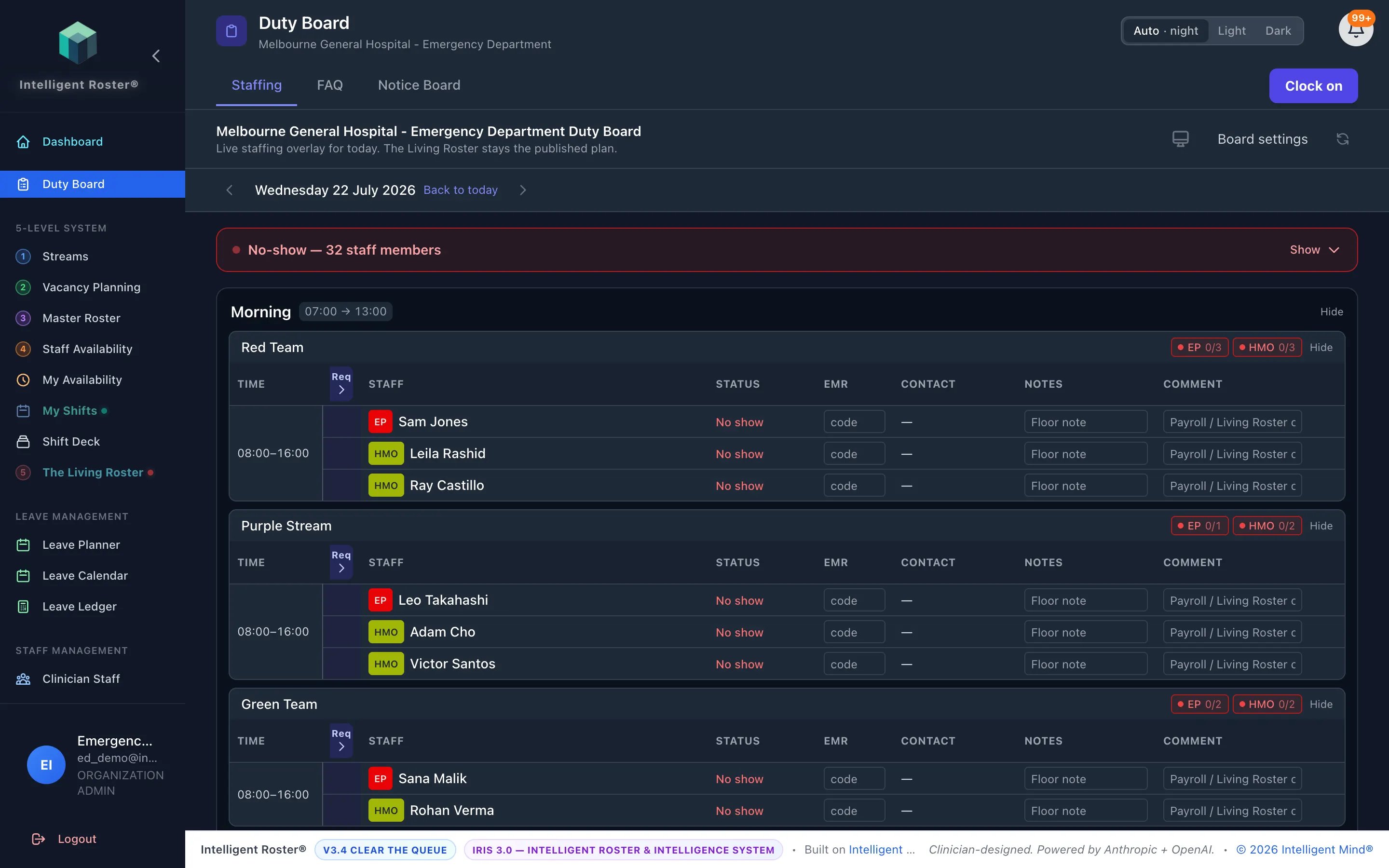
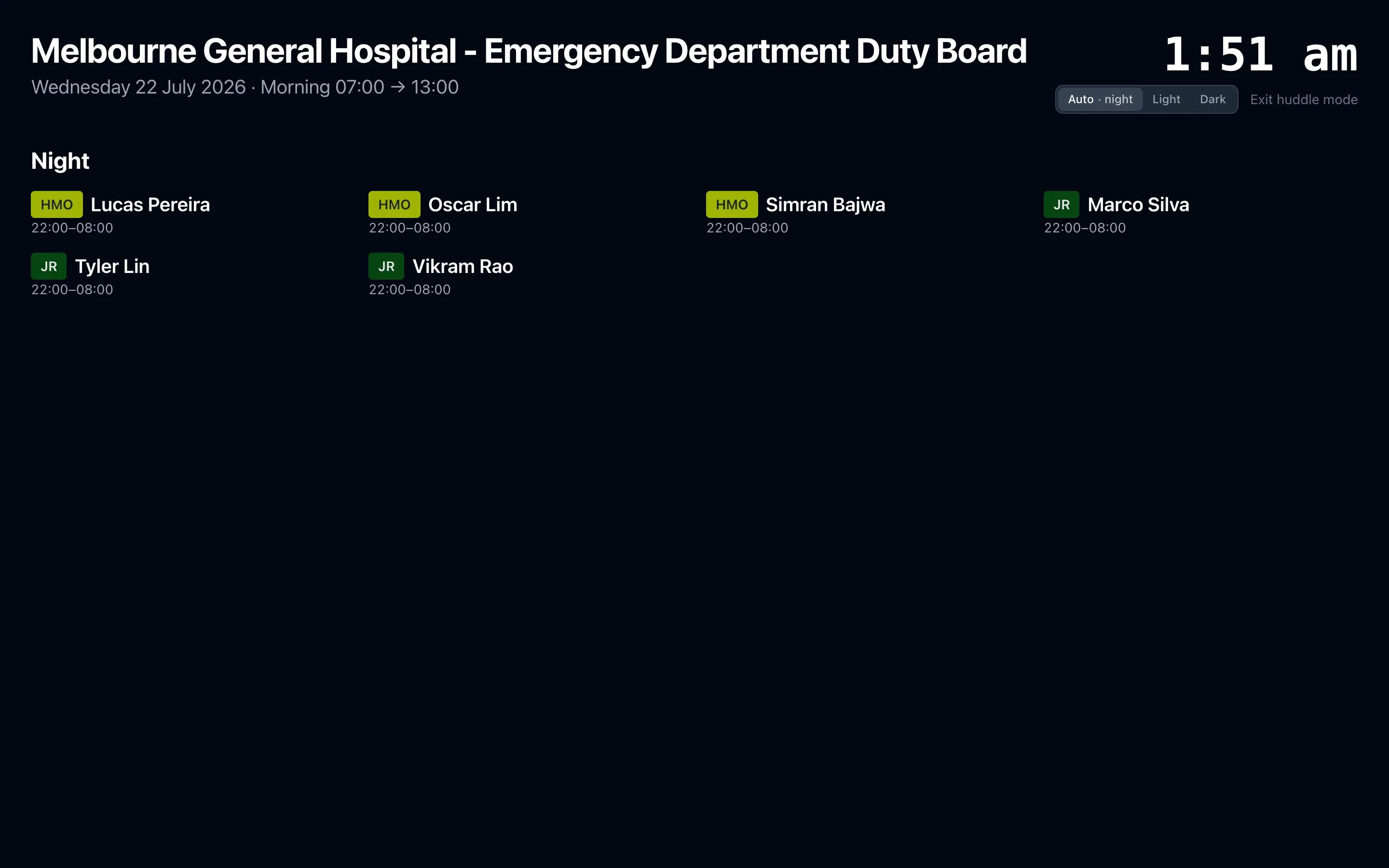
Who is actually on the floor this morning — check-ins, coverage, no-shows, in-charge, and a huddle wall display beside the published roster.
AUD $199/month ($2,388/year) · USD $129/month ($1,548/year)
Coverage against the vacancy you planned
Present versus required by craft on the time block, grouped into day blocks by shift start — morning, afternoon, night, including overnight windows that span handover.
Check-in, late ladder, and no-show inbox
Expected staff, who has confirmed, who is late, and who has not arrived after the grace period. Notes stay on the board for the people running the floor.
Proxy and in-charge roles
Clock on as ANUM or in-charge for named streams or the campus. Clock other staff on when that permission is granted. The board shows who holds the role and until when.
What you keep
- Who is allowed to clock on, clock others, and acknowledge no-shows
- Handover time that defines when “today” rolls on the board
- Proxy types for your service (ANUM, in-charge, and local names)
- The published roster as the source of who was meant to work
Questions services ask
- Is Duty Board included in self-serve pricing?
- Not on Starter, Standard, or Premium. It is a hospital-wide add-on at the published price (AUD $199/month or USD $129/month). Enterprise and Horizon include it. Talk to us — we turn it on for the hospital. Already-enabled organisations keep it on their current invoice until they ask to move onto the published price.
- Does it change payroll or timesheets?
- No. Check-in is operational presence for the day. Living Roster assignment dates and payroll comments stay on the roster.
- Can staff see it?
- Once enabled for the organisation, Duty Board sits in the sidebar for the people who work that service. Homepage tabs (Staffing, FAQ, notices) are configured by your admin.
See how an ED-first roster platform works.
From emergency departments to whole health services — and the ED-like teams beyond them.