
IRIS Pro Tips
A seven-part video series for setting up streams, demand, staff, availability, the master roster, shift swaps, and IRIS rules.
Start here for short roster-builder lessons. For current step-by-step workflows such as Duty Board, AUDITOR access, Roster Health Resolve, and IRIS 3.0 generation, pair these videos with Guides & Playbooks.
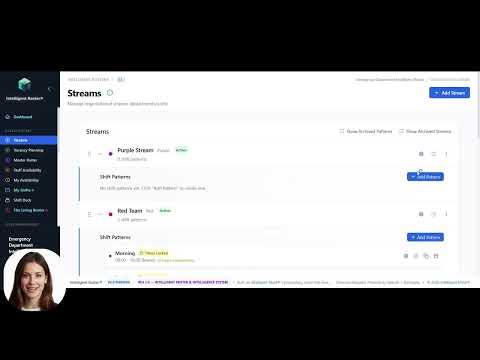 Tip 01~3 min
Pro Tip 01: Setting Your Streams
How to create and configure streams (departments or services) so IRIS understands your organisational structure.
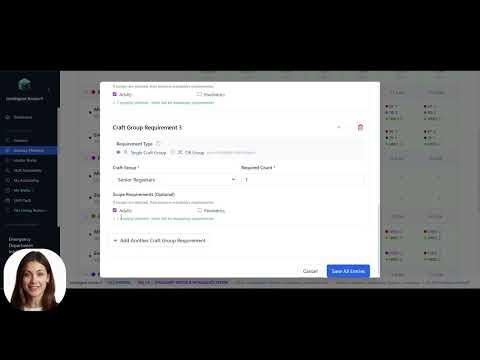 Tip 02~3 min
Pro Tip 02: Defining Real Demand for Rosters
How vacancy planning and staffing profiles capture the real clinical demand your roster must meet.
 Tip 03~3 min
Pro Tip 03: Adding staff to the master roster
How to add staff to the master roster and build the repeating patterns that underpin live rostering.
 Tip 04~3 min
Pro Tip 04: Setting Availability
How staff availability is captured and used by IRIS without turning into self-rostering.
 Tip 05~3 min
Pro Tip 05: Managing the Master Roster
How to apply master roster patterns to live periods, copy weeks, and keep your foundation roster current.
 Tip 06~3 min
Pro Tip 06: Creating Swap Open Swap
How to request a direct swap with a colleague, offer a shift as an open swap, or pick up an open shift from the Shift Deck.
 Tip 07~3 min
Pro Tip 07: Hard and Soft Rules in IRIS Rostering
How hard rules protect safety and compliance, how soft rules guide fairness, and when IRIS can override each during roster generation.
General Videos
Longer walkthroughs and deep dives on Intelligent Roster — beyond the quick pro tips series.
Longer walkthroughs for when you want the full picture, not just a quick tip.

Need the current operational steps?
Videos explain the concepts; role-first guides cover the latest release workflows and exact click paths.
Browse Guides & Playbooks