
The pending queue
Clear the queue that should never have needed a 23:00 login.
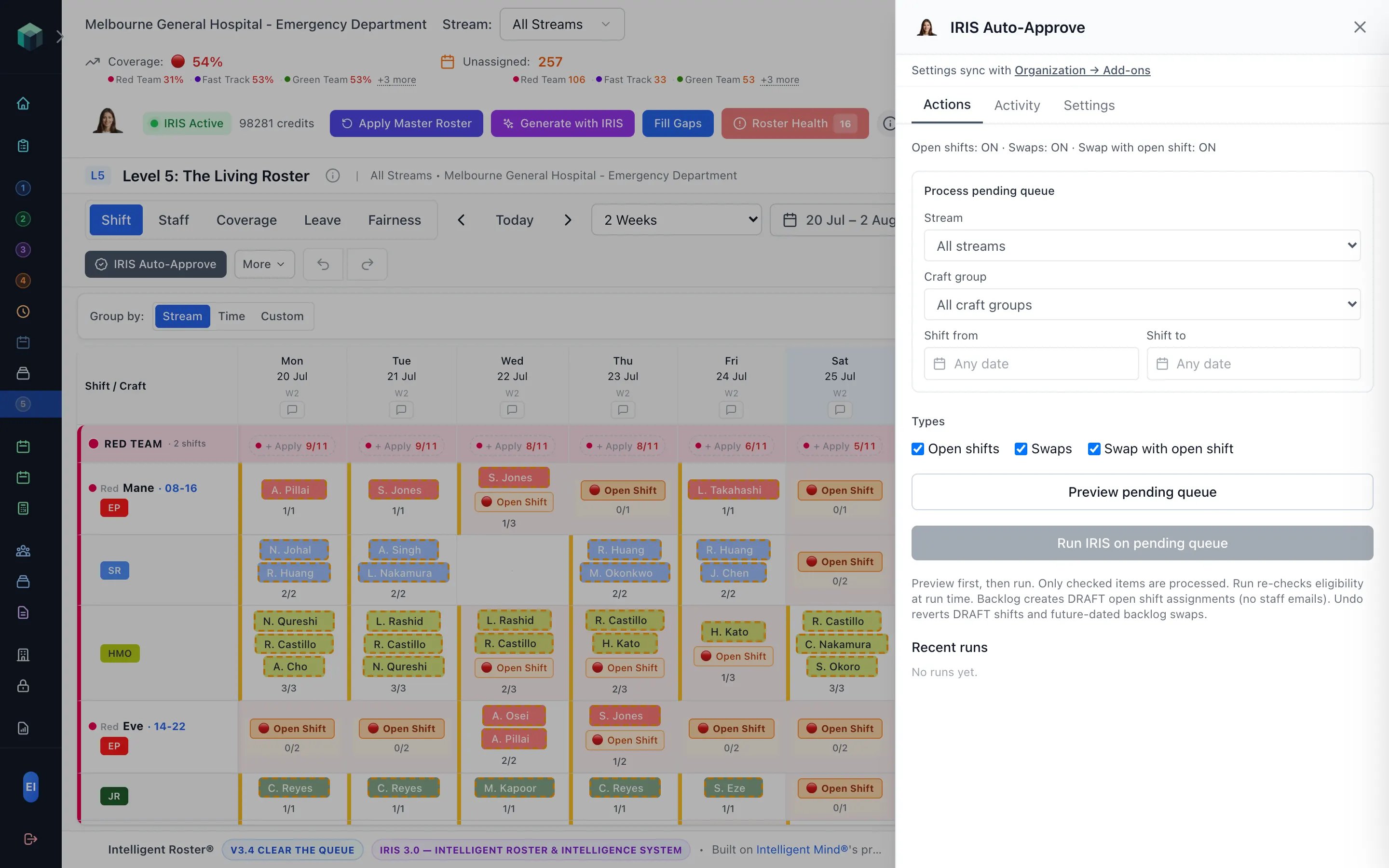
Strict-clean open-shift claims and accepted swaps can clear without sitting in an after-hours pile. Leave is never auto-approved. You still publish.
AUD $149/month ($1,788/year) · USD $99/month ($1,188/year)
Strict-clean gating only
Rest, hours, craft, scope, overlap, and leave must all pass. Conflicts, window violations, and exclusions stay in the manual queue.
Real-time and backlog
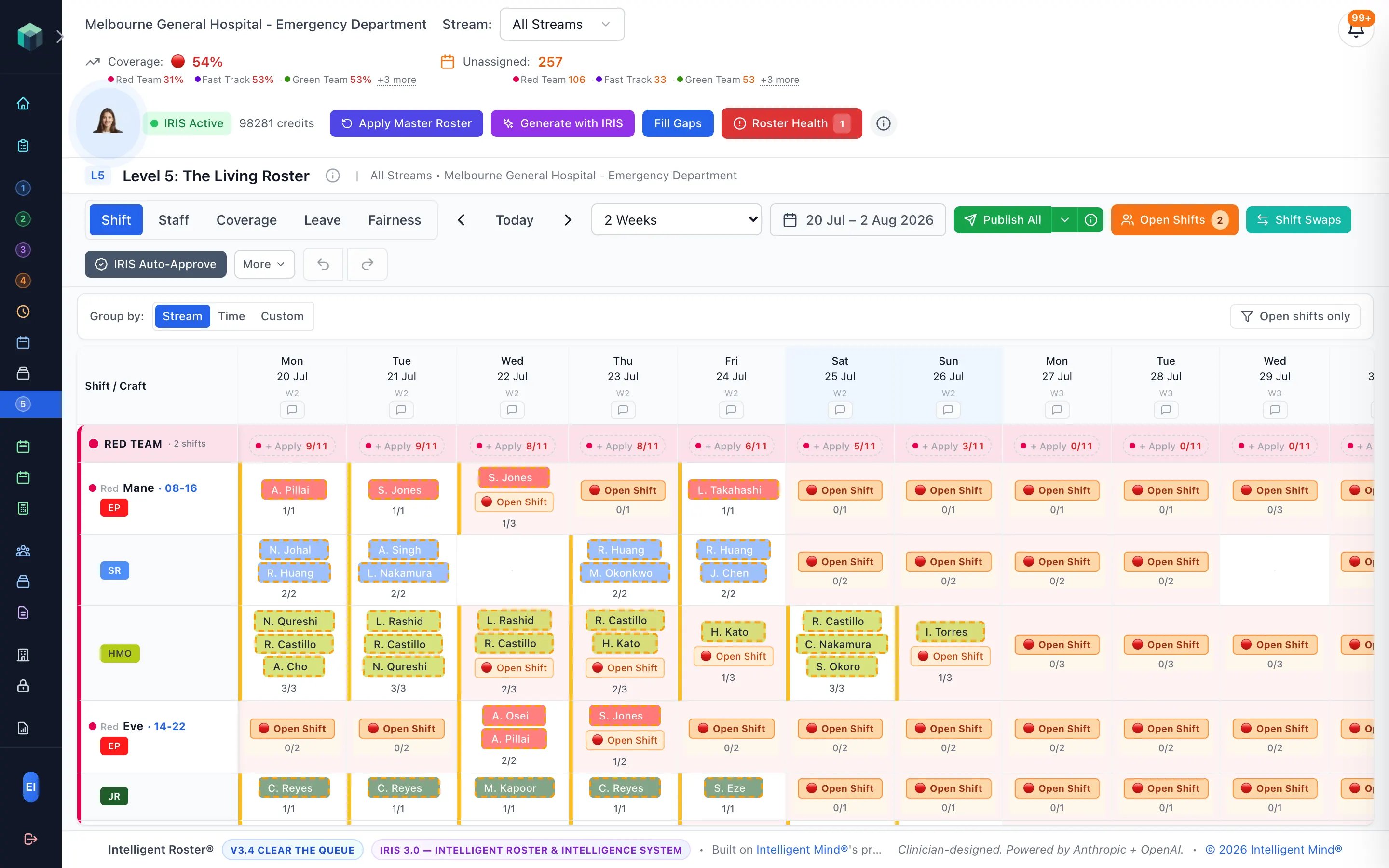
Instant approval when a claim or accepted swap is clean — or preview the pending queue on the Living Roster, whitelist what to run, undo, and finalise before publish.
Separate toggles and windows
Open shifts, swaps, and swap-with-open-shift are independent. Minimum notice, horizon, date bounds, and exclusions by stream or craft group are yours to set.
What you keep
- Whether the module is on, and for which claim types
- Time windows and exclusions
- Preview, whitelist, undo, and finalise on backlog runs
- Publication of the Living Roster
- Leave approval — always manual
Questions services ask
- Is Auto-Approve the same as IRIS Generate?
- No. Generate and Fill Gaps create assignments from your structure. Auto-Approve only approves existing open-shift claims and accepted swaps that are already strict-clean.
- Will it auto-approve leave?
- Never. Leave stays a human decision with coverage impact visible before approval.
- Is it included in my tier?
- It is included on Enterprise and Horizon. On Starter, Standard, and Premium it is a hospital-wide add-on at AUD $149/month or USD $99/month. Talk to us to grant it; your admin then sets windows and exclusions under Organizations → Add-ons. Already-enabled organisations keep it on their current invoice until they ask to move onto the published price.
See how an ED-first roster platform works.
From emergency departments to whole health services — and the ED-like teams beyond them.