
How to Request Leave
- Go to Leave Planner (Sidebar → Leave Planner)
- Click Request Leave
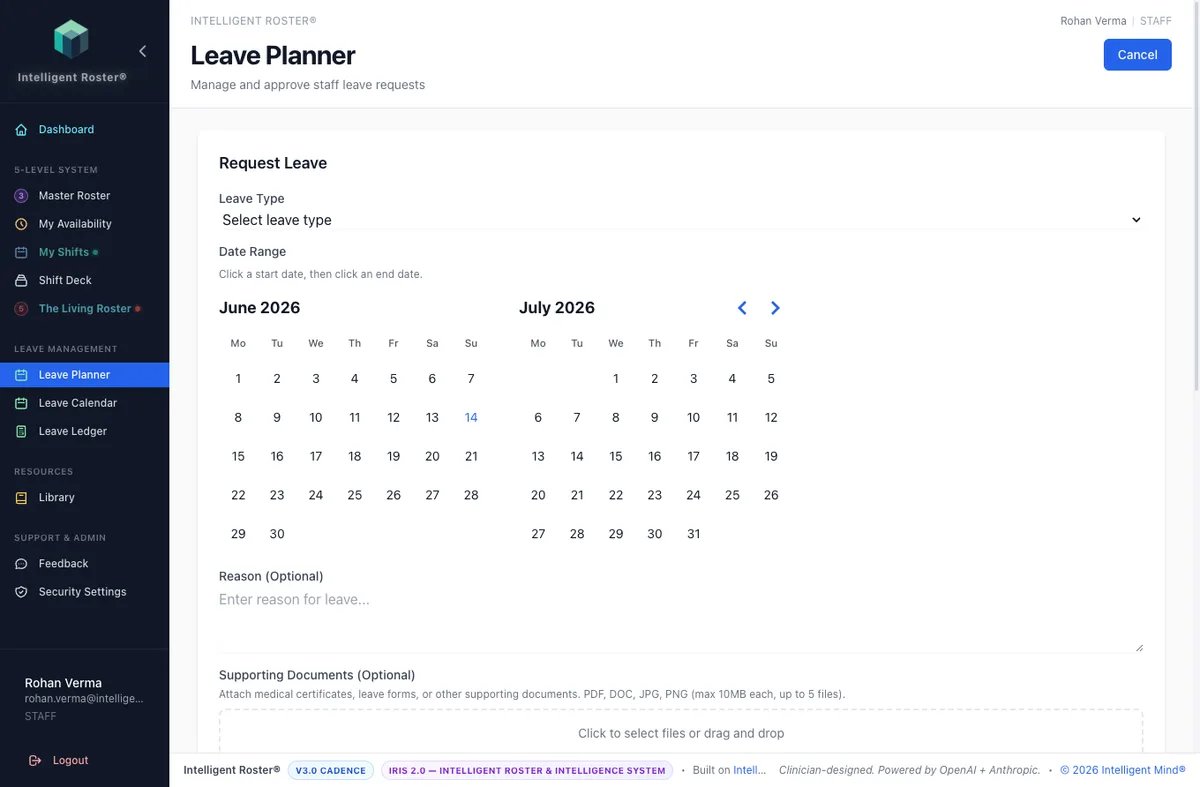
- Select the leave type:
- Annual Leave – planned holidays
- Sick Leave – illness or medical
- Personal Leave – personal matters
- Other types as configured by your organization
- Pick your start date and end date
- Add a reason (optional but helpful for approval)
- Click Submit
What happens next:
- Your request goes to the roster builder for review
- The system automatically checks staffing coverage for those dates
- You'll be notified when it's approved or if changes are suggested
- Once approved, you're automatically blocked from being rostered on those dates
Tips:
- Request leave as early as possible for better approval chances
- Check the Leave Calendar (Sidebar → Leave Calendar) to see who else is off
- You can cancel a pending request if your plans change